
Core Features
01.
Projects
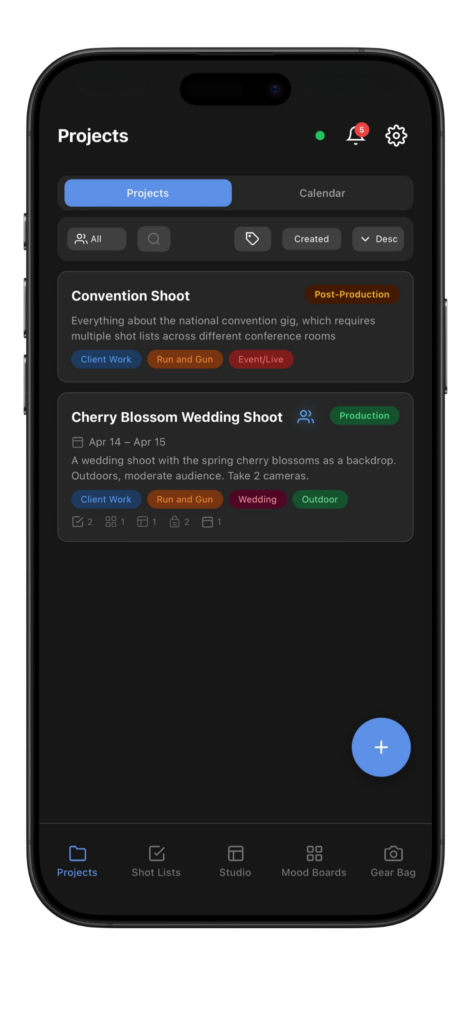
Track productions and link everything that matters: shot lists, mood boards, studio layouts, gear, and calendar events. Tag, filter, and sort so the right project is always one tap away.
02.
Shot Lists
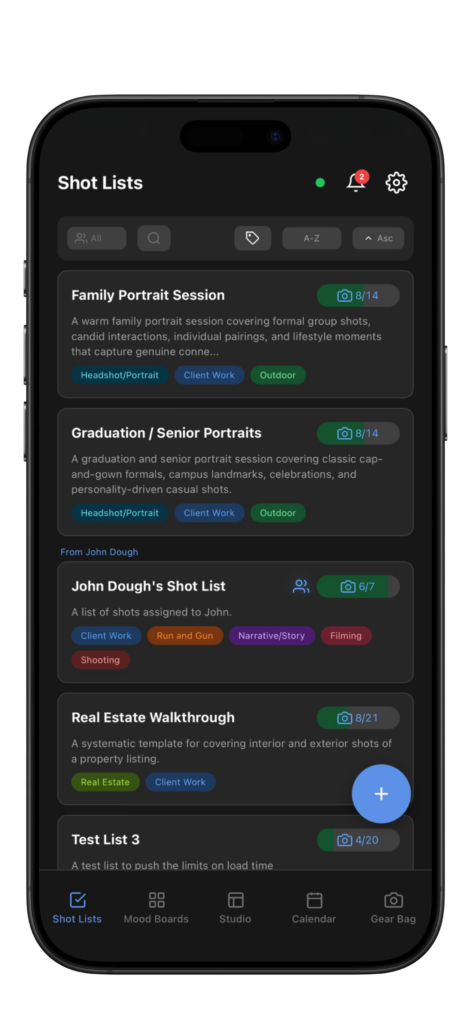
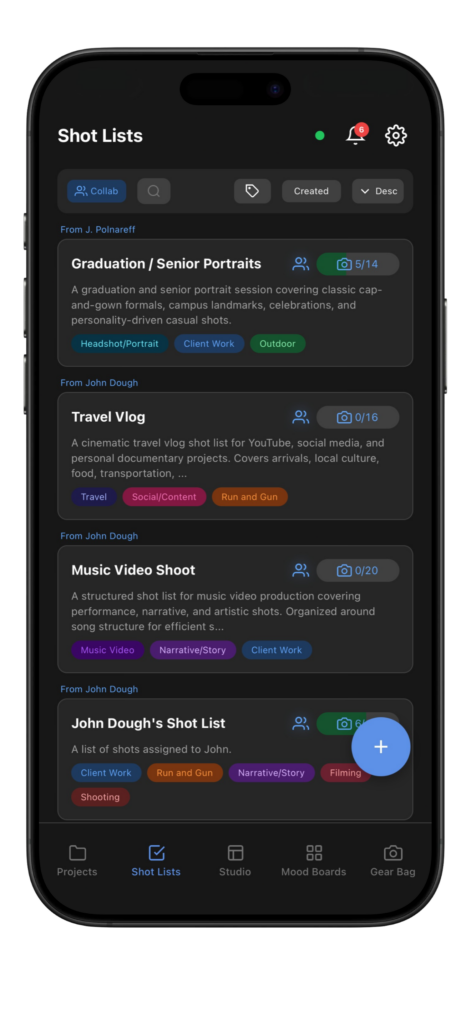
Build detailed shot lists with custom metadata for each shot, such as shot angle, focal length, ISO, and color profile. Switch between three view modes to match how you work, and sketch over reference images for precise direction on set.

03.
Studio
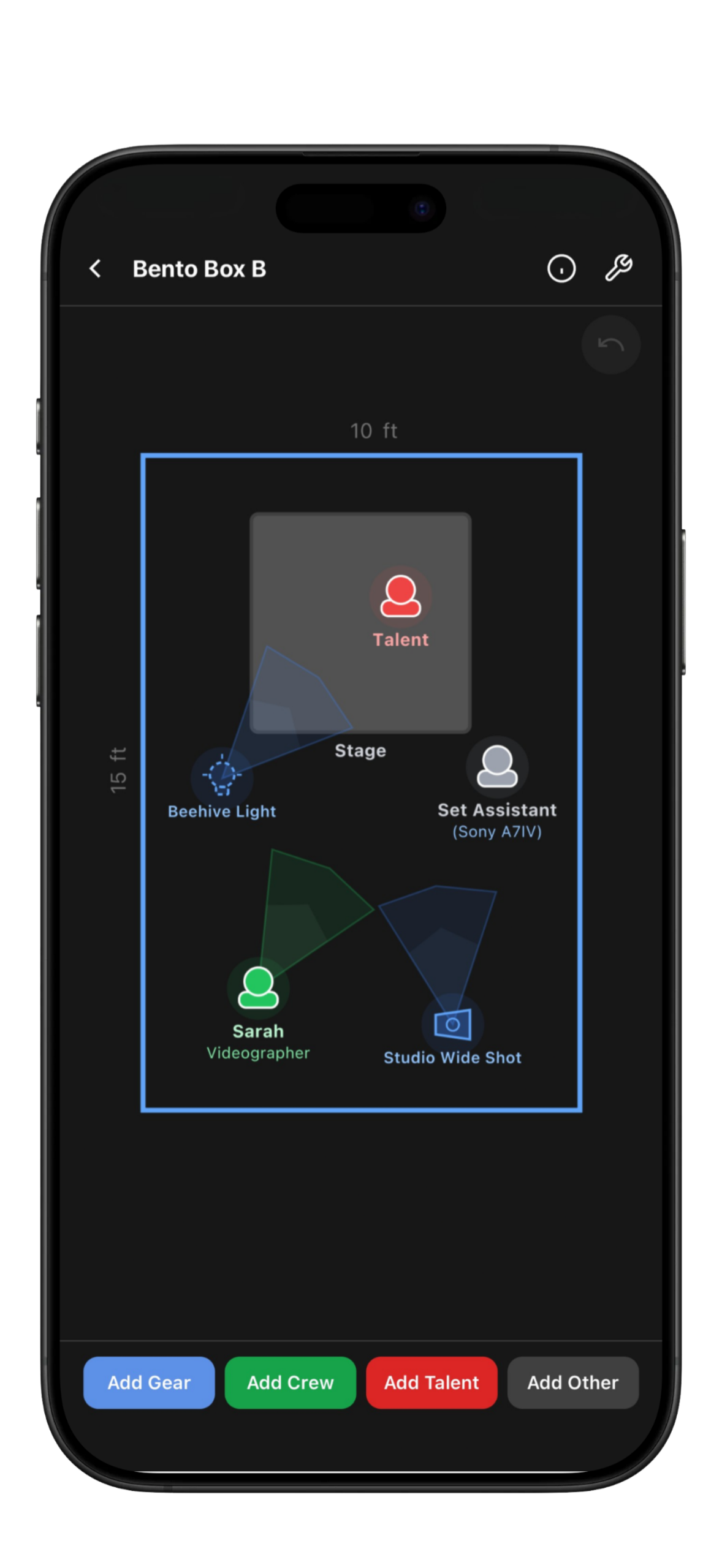
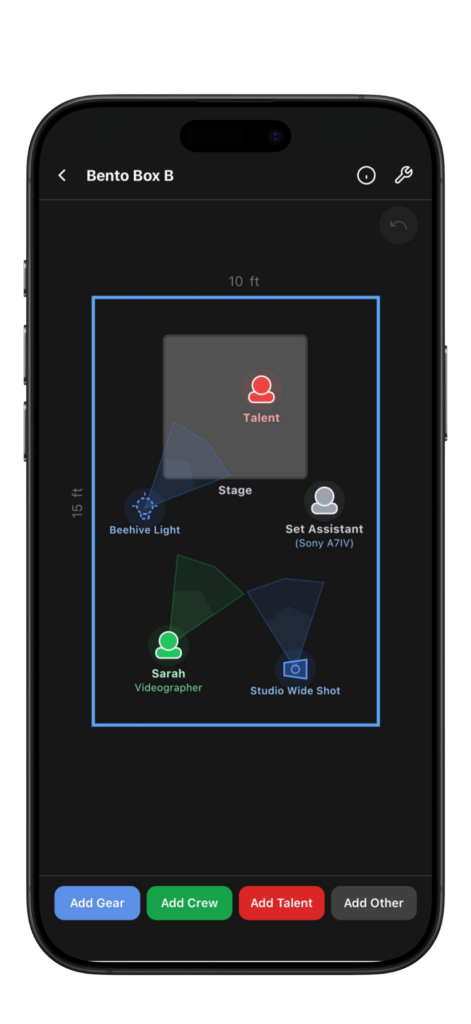
Drop gear, talent, crew, and scenery objects onto a 2D canvas and see the whole scene at a glance, plus link shots and poses to objects so that everyone gets the memo. Link any studio layout to a shot list or calendar event so the plan walks on set with you.
04.
Mood Boards
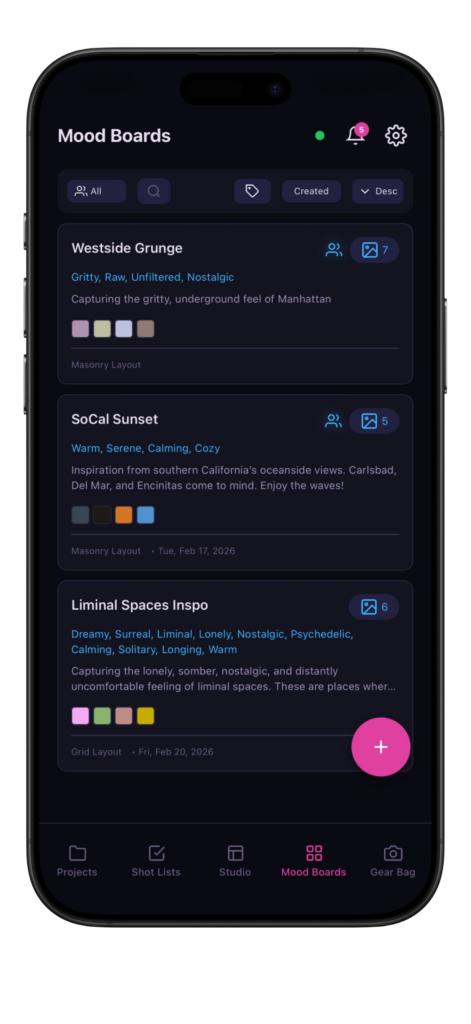
Pull inspiration from URL links or upload directly from your gallery, then tag boards with vibe keywords so the feeling is searchable, not just visual. Color palettes generate automatically, and masonry or grid layouts keep the direction clean. Link any board to a shot list to carry the mood straight into production.
05.
Gear Bag
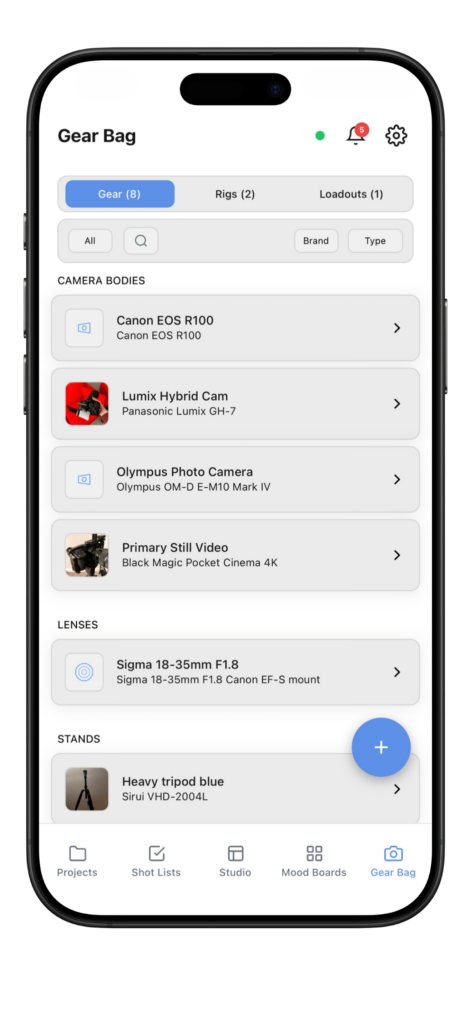
Catalog gear across 17 categories, build reusable rigs, and pack custom loadouts for each shoot. Track rentals, insurance dates, last-cleaned dates, and condition so nothing goes missing, overdue, or unaccounted for.
06.
Collaborations
Create a team, invite up to 5 collaborators, and share projects, shot lists, mood boards, studio layouts, and calendar events in real time. Assign roles so everyone sees what they need, the moment it updates.
Why Choose Us?
Mobile-First Design
Our applications are built with a mobile-first approach, ensuring seamless accessibility and usability on the go for busy creatives. Every feature is designed for one-handed use, fast input, and full offline functionality.
Tailored for Creatives
Each tool addresses specific challenges faced by visual storytellers, simplifying complex processes into intuitive, easy-to-use features.
Brought to Life
by Creatives
We prioritize stunning, minimalist aesthetics, making our tools not just functional but also a pleasure to interact with.